One board. Every control system on it. One answer to the only question that matters at 6am — can the job start today?
Not "where's the paperwork". Can we go.
Open the Control Room Get the free SWMS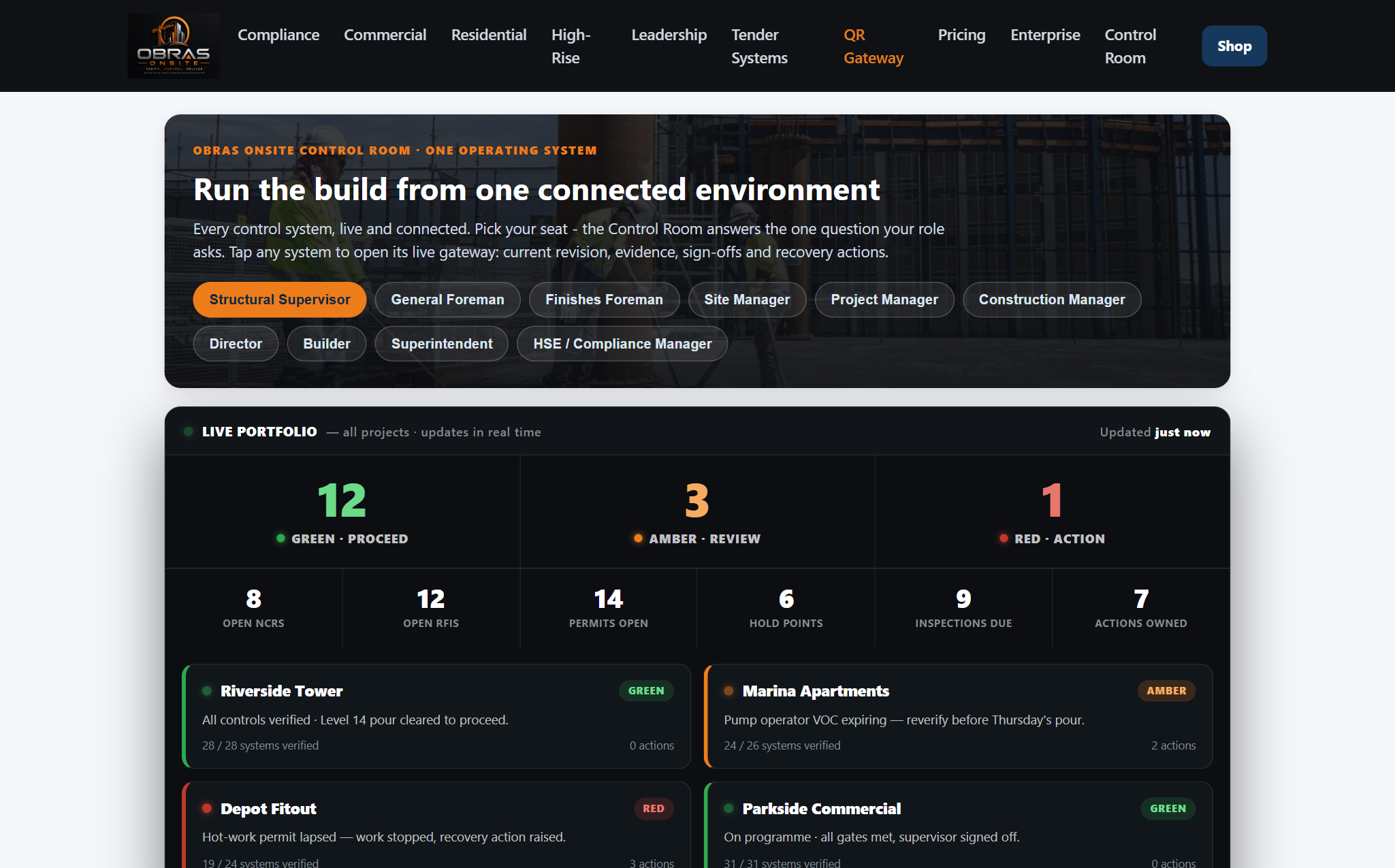
Worked example. Riverside Tower, Marina Apartments, Depot Fitout and Parkside Commercial are illustrative — not real customer projects — and the counts are sample figures. It shows exactly how the board reads once your own documents and projects are loaded.
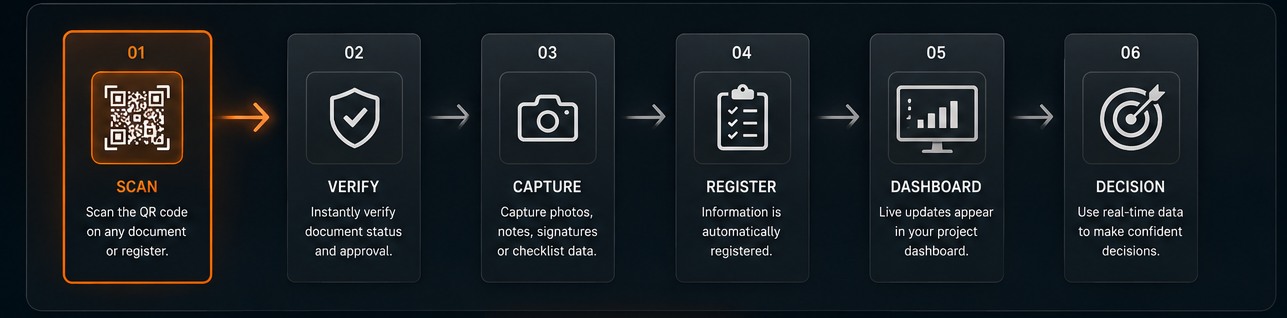
A permit is issued. An operator is verified. A hold point is signed. A defect is raised.
Every document, sign and label carries a QR code. Any phone camera. No app, no login.
Current approved revision, approval status, owner, sign-offs. Superseded copies are flagged.
Photos, notes, checklist status and signatures attach to that record.
Each control resolves to green, amber or red. A rule, not an opinion.
The board rolls it up. One red anywhere and the front is blocked.
Current approved revision. All controls in place, competencies verified and sign-offs complete.
Pending approval, near expiry, or a control needs checking. Verify and clear it before work starts.
Expired, superseded, unsigned, or a critical control has failed. Stop until it's cleared.
The value isn't the colour. It's that the colour can't be negotiated — and that this same definition is printed inside every document, so the paper and the board never disagree.
| Seat | The question it answers |
|---|---|
| Structural Supervisor | Is the core climbing? |
| General Foreman | What's coming in the next two weeks? |
| Finishes Foreman | Which units are ready? |
| Site Manager | What's holding the programme? |
| Construction Manager | Which zone is slipping? |
| HSE / Compliance | Can this worker start? |
| Builder / Director | Which job is quietly bleeding? |
Same board. The question changes depending on who's looking at it — which is why most reporting fails. It's built for one seat and everyone else has to translate it.
The Control Room is a live page you can open right now, and the board above is a worked example rather than a live customer site.
It reports what you put into it. It's a control board, not a data feed — there's no integration reading your accounting system or your programme. What it does is take the controls you already run and give them one place to agree with each other.
There's no trial to start and nothing to cancel, because there's nothing to switch off. Open it and look.
No signup, no card, no account. Take a complete SWMS free and scan the QR code printed on it to see its revision and controlled status. The Control Room is a separate product and is not yet commercially available.
Open the Control Room Get the free SWMSObras Onsite Pty Ltd · ABN 54 698 828 821 · Australian owned · Gold Coast, QLD. General information, not legal advice. A SWMS is compliant once you tailor it to your actual site, task and controls and have a competent person approve it before work starts.